
You must register on DataFirst's data site to download data.
You only need to register once on the site to have ongoing access to the data.
To register log in to our data site at https://www.datafirst.uct.ac.za/dataportal/index.php/home
Select Login on the top right of the screen, then select Register and complete and submit the online registration form.
You will receive an email with a link to activate your account.
Once registered, you can browse an alphabetical list of our datasets on the repository site at https://www.datafirst.uct.ac.za/dataportal/index.php/catalog
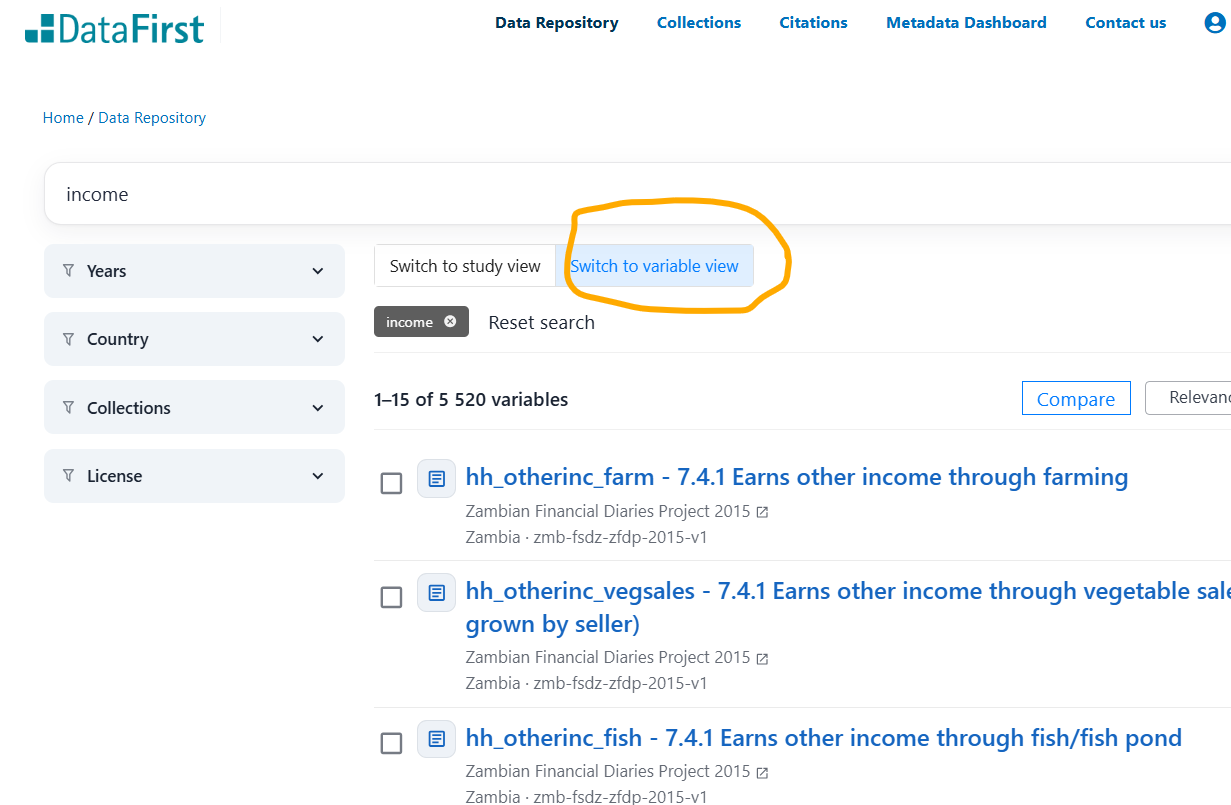
You can also search dataset titles on the repository with a keyword search by switching to the 'Study View' option
You can search data files at the variable level on the repository with a keyword search by switching to the 'Variable View' option.
Select the dataset title and then select the 'Get microdata' tab
Complete and submit the data request form. The form will already include your registration information and the title of the dataset. You need only include information on what you will be using the data for.
Note that the information you provide here will not influence your access to the data. This information is used to provide de-identified usage statistics to our depositors. Please simply give your expected final output from the data, e.g. thesis, journal, article, report.
The data is available under different access and use licenses. The license is indicated above the title of the listed dataset.
Public use data:
This data is available under a Creative Commons CC-BY 4.0 license. This means you can use the data for any purpose. But you must cite the data in any research or other product produced using the data. The appropriate citation is included in the Study Description posted with each dataset.
Data files for public use data will be immediately available to you once you complete and submit the online data request. You do not need to wait for permission to use the data.
Licensed (non-commercial) use data:
A few of our datasets are available for non-commercial use only. Here, once you select the 'Get microdata' tab and complete and submit your data request, the request will be reviewed for research use. You will receive an email with a link to download the data files. Requests for these datasets are reviewed daily so you will not have to wait long for the data.
Queries can be sent to support@data1st.org